
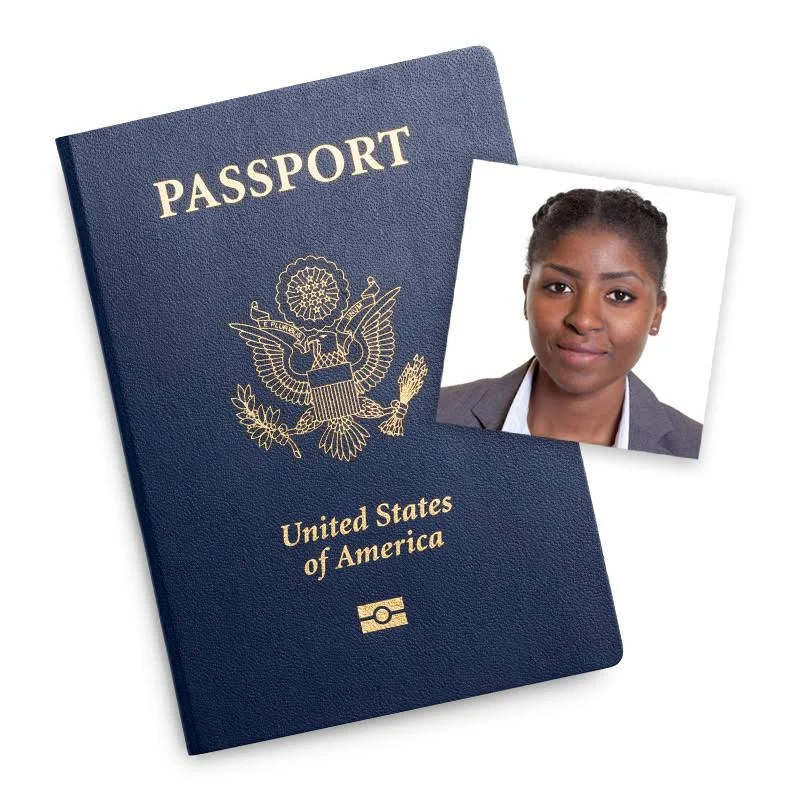
Paper application and online renewal are different jobs
Decide which route you are using before changing the file. A print layout belongs to a paper application; an online renewal starts with your original digital photograph.
| Requirement | Paper application | Online renewal |
|---|---|---|
| Deliverable | One color print, 2 × 2 inches | An original digital photo |
| Size / format | Head height: 1–1⅜ inches, chin to top of head | JPG/JPEG, PNG, HEIC or HEIF; 54 KB–10 MB |
| Finish | Matte or glossy photo-quality paper | Position and crop in the official application |
For both routes, use a recent color photo taken within six months, with a plain white or off-white background, even lighting and a clear view of your face. Follow the official guidance on expression, glasses and documented exceptions. Do not replace the background, retouch your appearance or use AI to reconstruct the photo.
Sources: Department of State: passport photos and uploading a digital photo. Recheck these pages before applying.
What a passport photo checker can—and cannot—tell you
Some checks are measurable: whether the file can be decoded, its real byte size, its dimensions and whether it has transparent pixels. Other checks need context. A file cannot tell us when you took the picture, whether a filter changed your face or whether an exception applies to your clothing.
Our tool separates those two groups. It measures the file locally and asks you to review the visual requirements. For a print crop, you mark the head and chin. The tool calculates framing from those marks; it does not detect a face or certify biometric compliance. A completed checklist is a record of those checks, not a prediction of government acceptance.
Passport photo rejected? Diagnose before editing
If you received a letter or portal message, follow that specific instruction first. Repeatedly exporting the same photo at different quality settings will not fix a shadow, an out-of-focus face or a digitally changed background.
| What you notice | Next action |
|---|---|
| Wrong printed size or framing | Check the crop, then print at actual size and measure it with a ruler. |
| Shadows, blur, glare or an unsuitable background | Retake with better lighting and a real plain background. Do not use a background-removal shortcut. |
| Not enough image around the head | Return to the uncropped original or take another photo with more room. |
| Online file outside the stated size range | Choose an appropriate original. This workflow does not pad or compress a file to disguise the problem. |
Check → diagnose → prepare → download
Use the workflow below without leaving this article. Nothing is uploaded to JustPicTools. Start with the original JPG or PNG, choose your application type and read each result before downloading.
- Choose the route. Paper output and online renewal have separate handling.
- Inspect the file. Unsupported or damaged files receive a message. This checker does not decode HEIC, even though the official online portal accepts it.
- Review the photo. Answer the visual checks yourself. For paper, mark the top of the head and bottom of the chin on the image or with the coordinate controls.
- Finish appropriately. Download a 600 × 600 JPEG tagged at 300 DPI for a 2-inch print, or keep the original unchanged for online renewal. The tool refuses to enlarge a low-resolution crop.
Your photo stays in this browser. No uploads, AI calls or credits.
This guided pre-check doesn’t provide official approval. The tool checks file details automatically. You review the photo and mark the head position. It doesn’t use face recognition or assess the background automatically.
Requirements at a glance
Paper: print 2 × 2 inches; chin to top of head 1–1⅜ inches. Use matte or glossy photo-quality paper.
Online: JPG/JPEG, PNG, HEIC or HEIF; 54 KB–10 MB. Upload the original and crop in the official portal.
JPG / PNG · one photo · up to 20 MB and 12 megapixels. This tool cannot inspect HEIC; the official online portal accepts HEIC/HEIF.
Rules checked: September 20, 2026 · Official sources: Paper application / print · Online renewal
Read the requirements guide →The file is not the last check
For paper applications, ask the printer to disable “fit to page” and automatic image enhancement. Measure the finished print: a DPI tag alone does not force a printer to use the intended size. Check that the head is fully visible and the image remains sharp.
For online renewal, use the official application’s positioning and photo checks with the original file. Its initial checks are not final approval either; the Department of State reviews the submitted photo. If the picture itself is unsuitable, taking another one is often the shortest route to a usable result.
Official online photo instructions ↗Common questions
Is a 600 × 600 image required for online renewal?
Do not treat our print export setting as an online requirement. Our 600-pixel file is designed to print at 2 inches with 300 pixels per inch. The online path in this tool keeps your original intact and directs you to the current official instructions.
Can this tool remove the background?
No. This US passport workflow does not use background replacement or appearance editing. If the original background is unsuitable, retake the photo.
Does passing the pre-check guarantee acceptance?
No. It means the measured file checks and your own checklist are complete. We do not perform an official review, and we do not claim a pass rate.
Does it cost credits?
No. This workflow runs locally without AI calls or a login. JustPicTools’ separate cloud AI tools use credits; they are not part of this passport workflow.